
基于 WebSocket 的远程控制应用介绍
📘 中文版介绍
概述
基于 WebSocket 的远程控制应用是一种轻量级、高实时性的远程交互方式。它通过持久化的 WebSocket 连接,让客户端与服务端之间能够进行双向通信,从而实现命令执行、鼠标键盘输入模拟以及特殊指令控制等功能。
主要功能
- 认证机制:客户端连接成功后需立即发送密码进行认证,确保安全性。
- 命令执行:支持通过 JSON 格式消息发送 CMD 命令,服务端执行后返回结果。
- 会话管理:客户端可请求新会话,服务端关闭当前连接并允许重新建立。
- 输入控制:
- 鼠标:支持移动、定位、点击、滚轮等操作。
- 键盘:支持按键按下/释放、文本输入、组合键模拟。
- 特殊指令:如
Kill_Actived_target(结束当前激活程序)、Block_Input(禁用输入)、Resume_Input(恢复输入)。
应用场景
- 远程桌面管理与维护
- 远程执行脚本
- 安全管控与应急操作
优势
- 实时性强:WebSocket 提供低延迟的双向通信。
- 扩展性好:支持多种输入与命令格式。
- 跨平台:客户端可用多种语言实现(如 Java、Python)。
Android 客户端演示
由开发者提供的 Android 平台的客户端演示,主要功能包括:
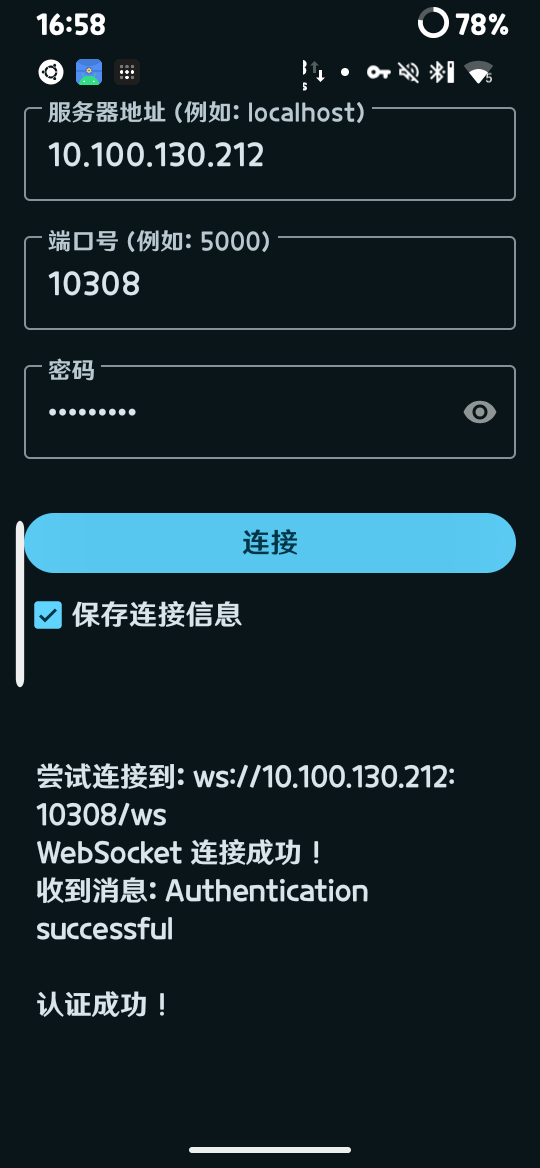
登录认证:客户端在连接服务端后完成密码认证,确保安全访问。
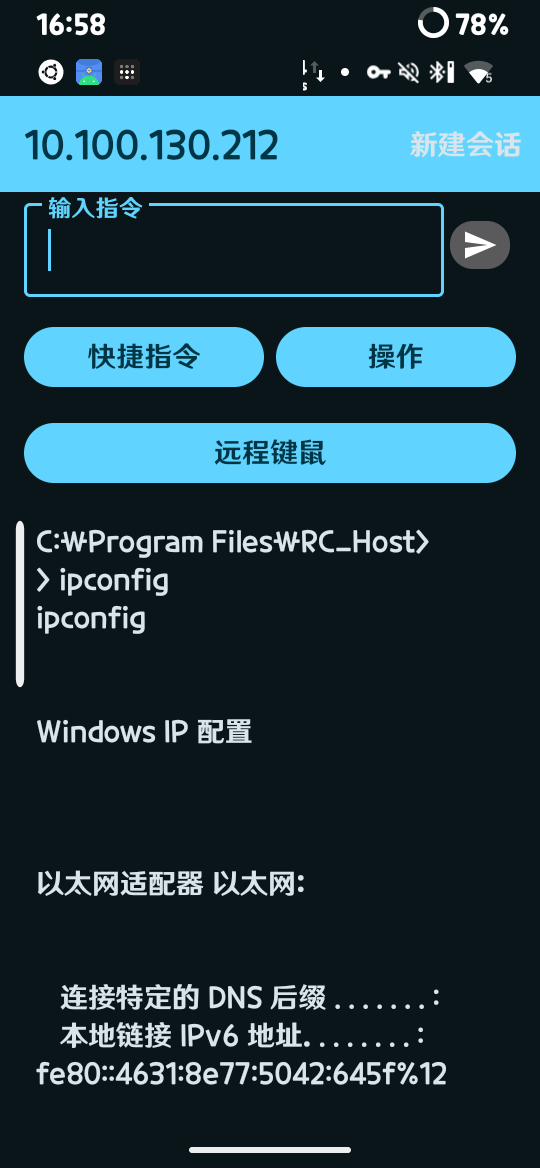
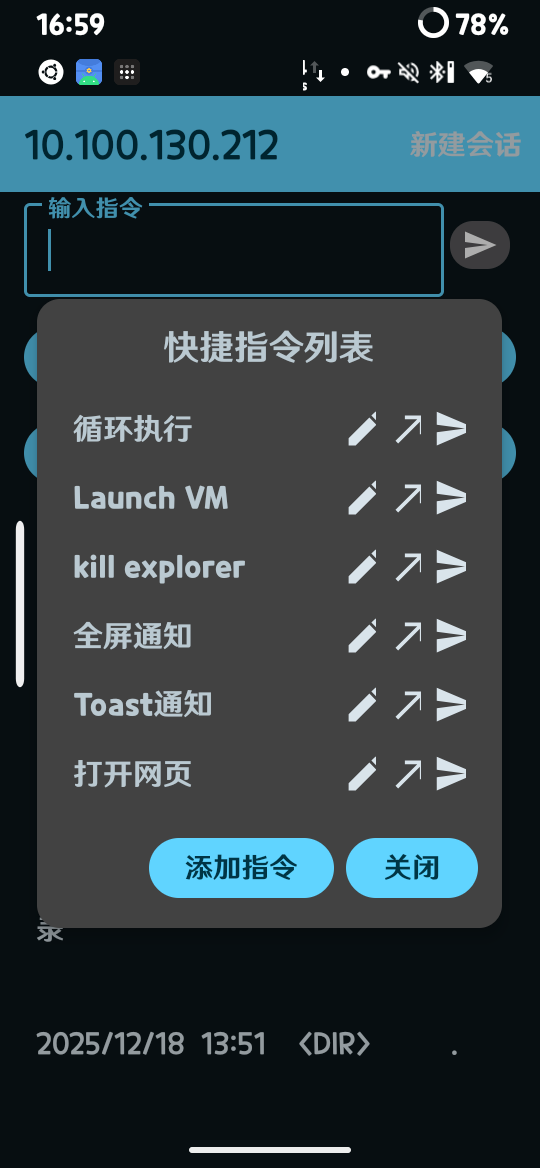
远程 CMD 虚拟控制台:支持远程执行命令,并实时接收服务端返回的输出信息。 以及一些便捷功能。
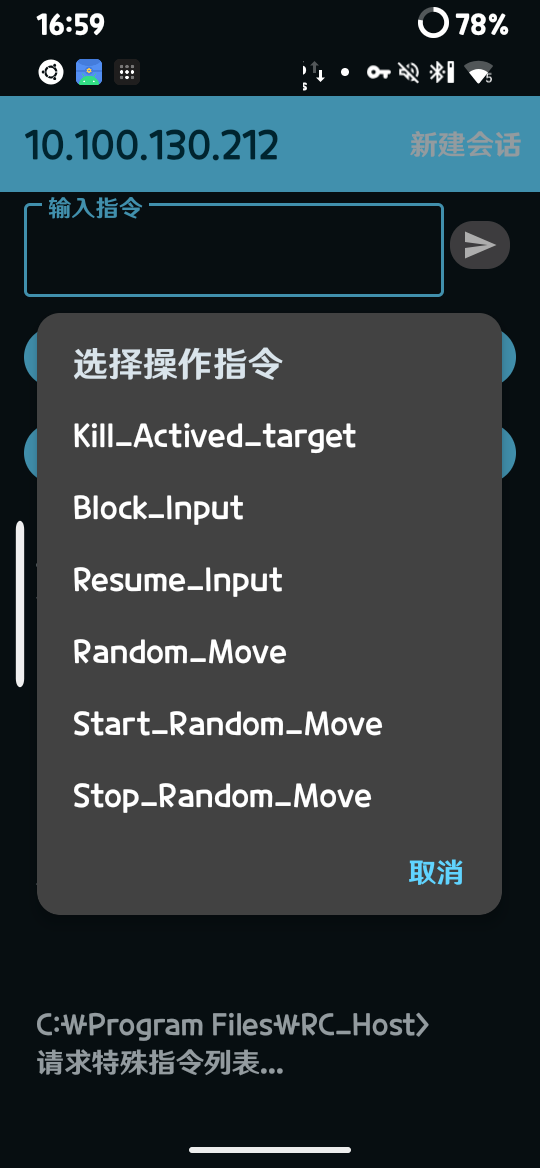
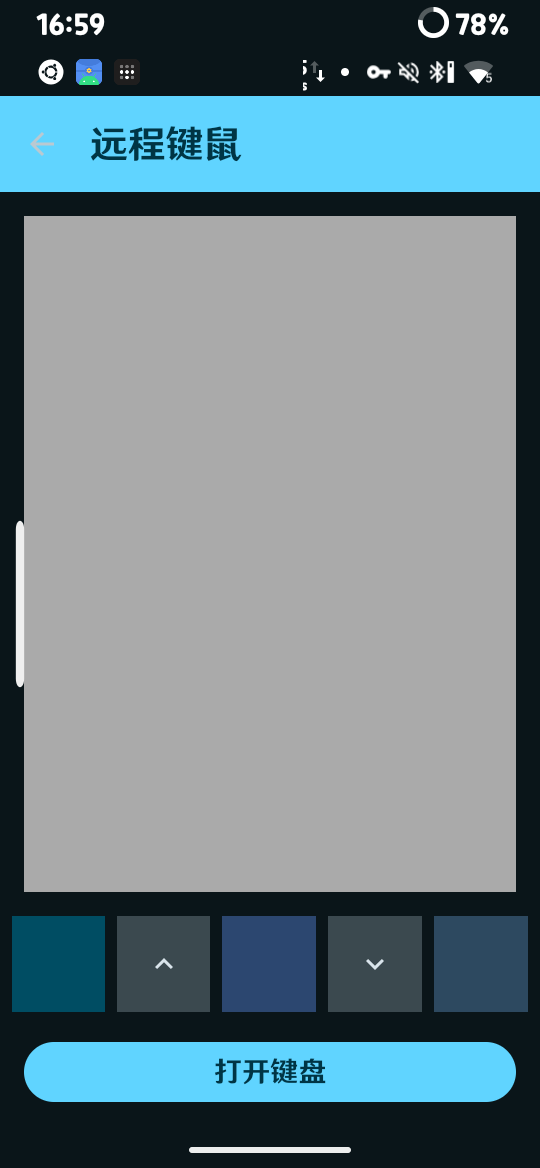
远程键鼠控制:
完整的触摸板实现,可模拟鼠标移动、点击和滚轮操作。
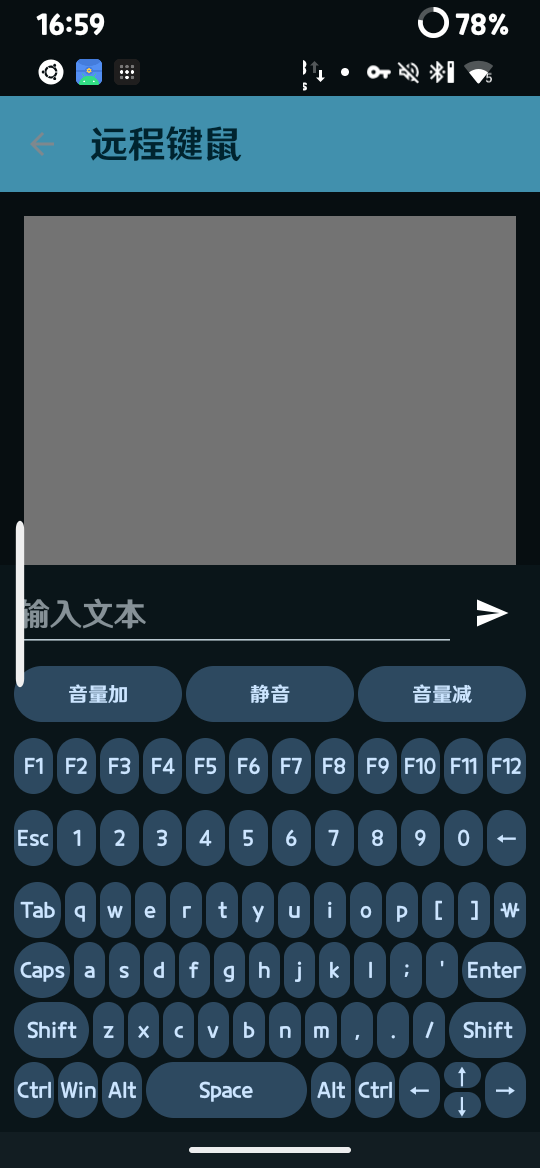
类似笔记本的精简键盘布局,支持常用按键输入与组合键操作。
备注:由于服务端实现为注入虚拟键码,因此在客户端添加新的按键支持时,无需修改服务端逻辑,只需在客户端侧扩展即可。
Made by BuildSession
📘 English Version
Overview
A WebSocket-based remote control application provides a lightweight and highly responsive way to interact with remote systems. By establishing a persistent WebSocket connection, the client and server can communicate bidirectionally, enabling command execution, simulated mouse/keyboard input, and predefined special commands.
Key Features
- Authentication: Clients must send a password immediately after connection to ensure security.
- Command Execution: CMD commands can be sent in JSON format, executed by the server, and results returned.
- Session Management: Clients can request new sessions, prompting the server to close the current connection and allow reconnection.
- Input Control:
- Mouse: Supports movement, positioning, clicks, and scroll actions.
- Keyboard: Supports key down/up, text input, and shortcut simulation.
- Special Commands: Examples include
Kill_Actived_target(terminate active program),Block_Input(disable input), andResume_Input(restore input).
Use Cases
- Remote desktop management and maintenance
- Script execution remotely
- Security control and emergency operations
Advantages
- High real-time performance: WebSocket ensures low-latency bidirectional communication.
- Flexible and extensible: Supports diverse input and command formats.
- Cross-platform: Clients can be implemented in multiple languages (e.g., Java, Python).
Android Client Demonstration
Android client demo provided by developer with the following features:
Login Authentication: The client completes password authentication after connecting to the server to ensure secure access.
Remote CMD Virtual Console: Supports executing commands remotely and receiving real-time output from the server.
Remote Mouse & Keyboard Control:
A fully functional touchpad implementation for simulating mouse movement, clicks, and scroll actions.
A simplified laptop-style keyboard layout, supporting common key inputs and shortcut combinations.
Note: Since the server is implemented by injecting virtual key codes, adding new key support requires no server modification. It only needs to be extended on the client side.
Made by BuildSession